
Background Queue Manager & Batch Dispatch
High-volume marketing broadcasts and transactional bursts should never block web requests or cause PHP timeout errors. MailFuz includes a dedicated Background Queue Manager that processes outgoing transmissions asynchronously using database-backed job workers.
Queue Manager Architecture
Section titled “Queue Manager Architecture”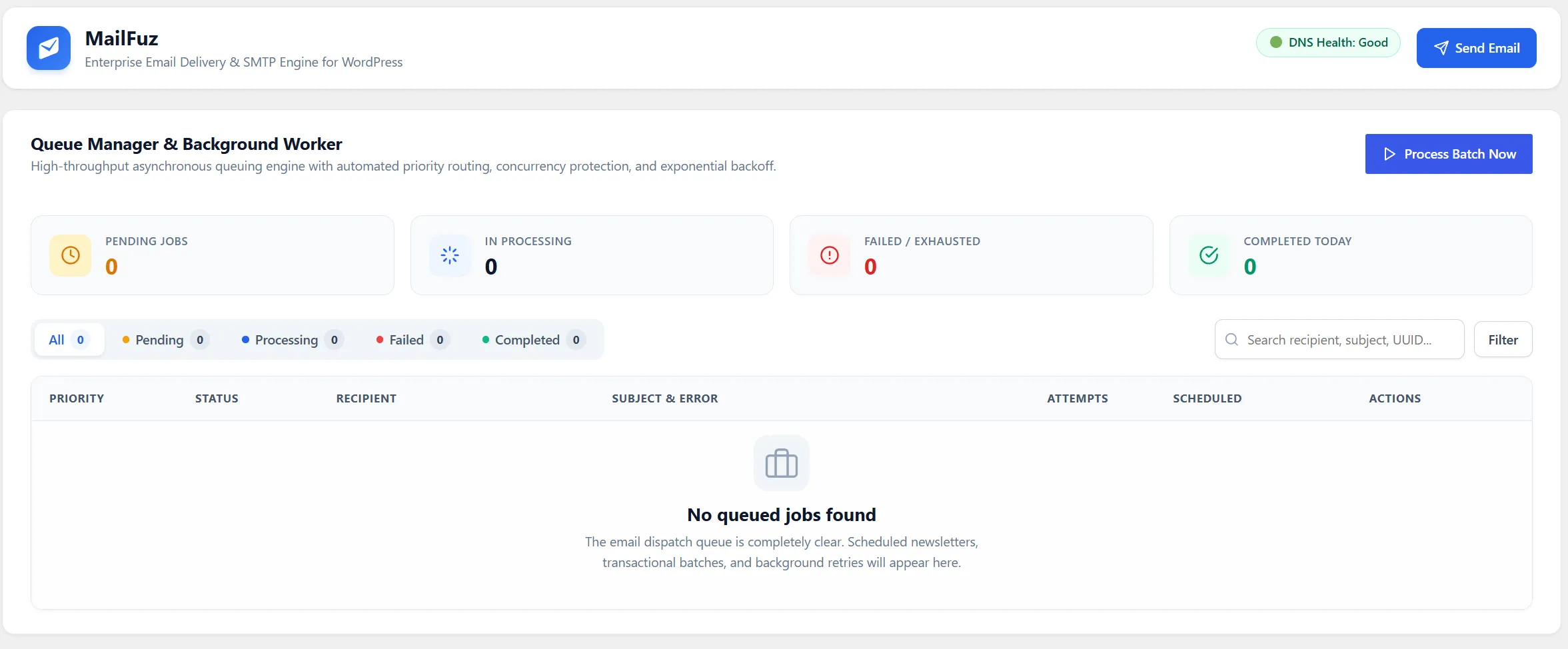
The Queue Manager operates via an independent database ledger (wp_mf_queue) with state tracking:
flowchart TD A[Broadcast or Transactional Burst] --> B[Push Jobs into wp_mf_queue] B --> C[HTTP Request Returns Immediately to User] D[Background Worker / WP-Cron / WP-CLI] --> E[Fetch Batch of Pending Jobs] E --> F{Delivery Attempt} F -->|Success| G[Mark Job COMPLETED & Log Telemetry] F -->|Temporary Failure| H[Increment Retry Count & Schedule Exponential Backoff] H -->|Max Retries Exceeded| I[Mark Job FAILED & Quarantine]Accessing the Queue Manager
Section titled “Accessing the Queue Manager”Navigate to WP-Admin → MailFuz → Queue Manager (admin.php?page=mailfuz-queue):
- Pending Dispatches: Total count of scheduled emails awaiting transport transmission.
- In-Progress / Processing: Jobs actively currently being dispatched by the active worker.
- Completed Transmissions: Total count of successfully transmitted messages.
- Failed / Error Jobs: Messages that encountered transport rejection after maximum retry attempts.
Batch Controls & Throttle Configuration
Section titled “Batch Controls & Throttle Configuration”Under MailFuz → Settings → General → Queue Processing:
| Setting | Recommended Value | Purpose |
|---|---|---|
| Queue Batch Size | 25 - 100 messages |
Number of messages dispatched in a single worker cycle. Prevents hitting web host memory caps. |
| Worker Frequency | Every 1 to 5 minutes | Interval between automated execution cycles. |
| Max Retry Limit | 3 attempts |
Number of times a failed dispatch is re-attempted before marking as dead letter. |
| Throttle Delay | 100ms - 500ms |
Micro-pause between dispatches to adhere to provider rate limits (e.g., SES 14/sec). |
Execution Modes: WP-Cron vs. System Cron vs. WP-CLI
Section titled “Execution Modes: WP-Cron vs. System Cron vs. WP-CLI”1. WordPress Default (WP-Cron)
Section titled “1. WordPress Default (WP-Cron)”- Executes whenever visitors browse your website.
- Suitable for small sites with moderate broadcast volume.
- Can be erratic if site traffic is low.
2. Server Cron (Recommended for Production)
Section titled “2. Server Cron (Recommended for Production)”- Disable virtual cron in
wp-config.php:define( 'DISABLE_WP_CRON', true ); - Add a real Linux/cPanel crontab entry running every minute:
Terminal window * * * * * wget -q -O - https://yourdomain.com/wp-cron.php?doing_wp_cron >/dev/null 2>&1
3. High-Throughput WP-CLI Queue Runner
Section titled “3. High-Throughput WP-CLI Queue Runner”For large broadcasts exceeding 100,000 subscribers, run the native MailFuz queue daemon via command-line shell:
# Process next 100 queued items immediatelywp mailfuz queue process --limit=100
# Continuous daemon loop with sleep intervalswp mailfuz queue daemon --sleep=2
# Inspect live queue metricswp mailfuz queue status
# Flush and retry all temporarily failed jobswp mailfuz queue retry-failed