
Importing, Exporting & Syncing Subscribers
MailFuz Pro provides an enterprise-grade Import & Export Engine designed to process subscriber audiences of any scale—from hundreds of contacts to millions of subscribers—without exceeding PHP memory limits or server request timeouts.
1. Importing Subscribers from CSV
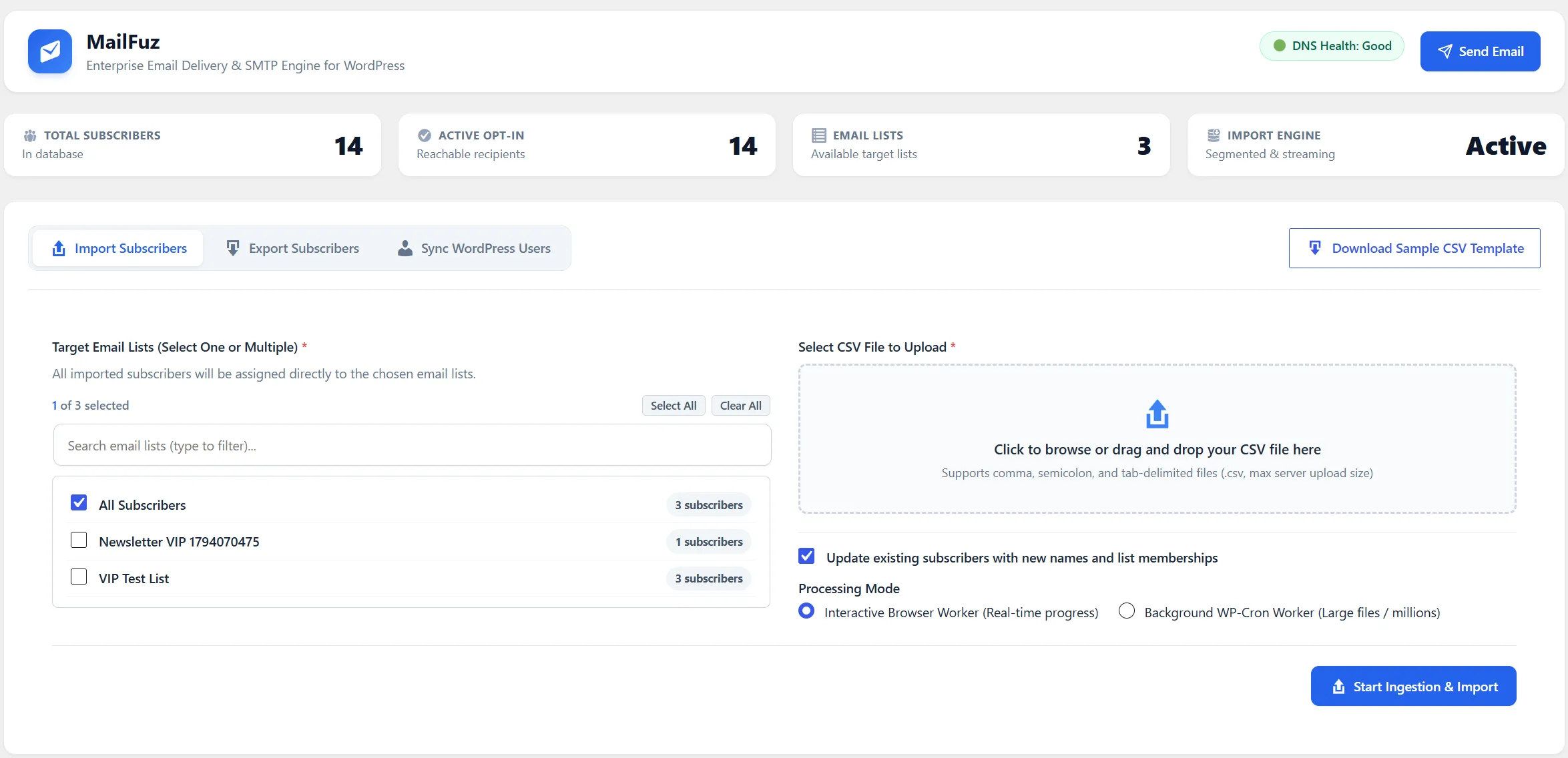
Section titled “1. Importing Subscribers from CSV”Navigate to WP-Admin → MailFuz → Import & Export → Import Subscribers:
Ingestion Capabilities
Section titled “Ingestion Capabilities”- Low-Memory Streaming Ingestion: Reads file pointers incrementally (
fseekandfgetcsv), requiring a constant ~4MB of PHP memory regardless of whether the file contains 1,000 rows or 2,000,000 rows. - Target Email Lists: Select one or multiple lists during import. All valid contacts are attached directly to the chosen lists.
- Duplicate Protection: Existing contacts have their names updated and new list memberships attached without duplicating email records.
- Download Sample Template: 1-click download of a pre-formatted RFC 4180 CSV template containing standard column headers (
email,first_name,last_name,status). - Dual Execution Modes:
- Interactive Browser Worker: Real-time progress bar, rows/second counter, and pause/resume buttons for files up to 100,000 rows.
- Background WP-Cron Worker: Processes asynchronously in the background for massive multi-million row files.
2. Exporting Subscribers to CSV
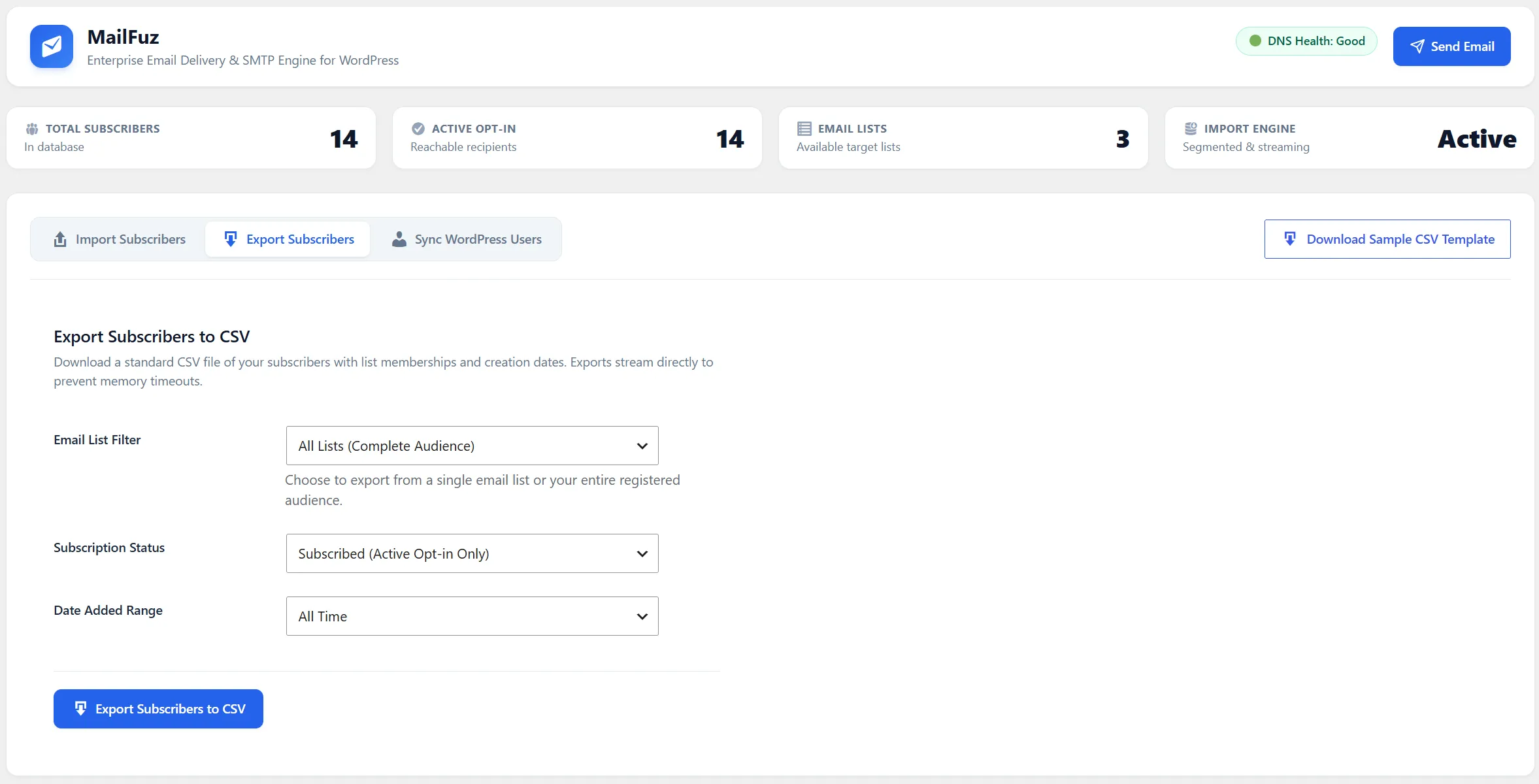
Section titled “2. Exporting Subscribers to CSV”Navigate to WP-Admin → MailFuz → Import & Export → Export Subscribers:
Export Filters & Features
Section titled “Export Filters & Features”- List Filter: Export from a single specific list or export your entire audience across all lists.
- Status Filter: Export active
subscribedcontacts,unsubscribedcontacts, or quarantinedsuppressedcontacts for compliance audits. - Date Range: Filter contacts added within the past 30 days, 90 days, or all time.
- UTF-8 BOM Streaming: Exports stream directly from the database using chunked database cursors, prepending an Excel UTF-8 Byte Order Mark (BOM) to prevent accented character corruption in Microsoft Excel.
3. Syncing Registered WordPress Users
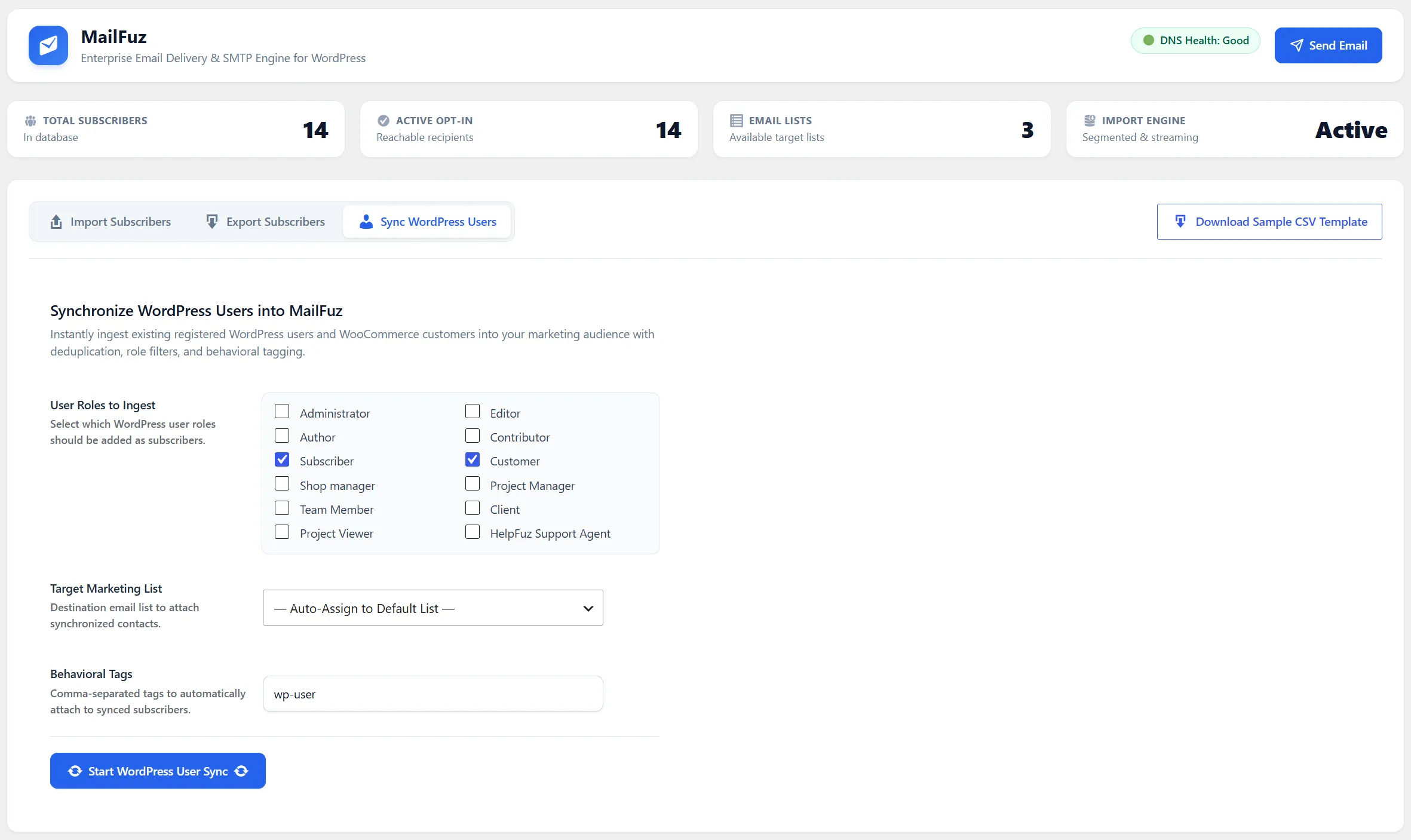
Section titled “3. Syncing Registered WordPress Users”To instantly turn existing WordPress user accounts into marketing subscribers, click the Sync WordPress Users tab:
Synchronization Options
Section titled “Synchronization Options”- Role Targeting: Select which WordPress user roles to enroll (e.g.,
Customer,Subscriber,Editor, or custom Frontend Dashboard roles). - Destination List: Choose the target MailFuz Email List where synchronized contacts will be added.
- Initial Status: Enroll users as active
subscribedor set them aspendingdouble opt-in verification. - Batch Execution: Synchronizes thousands of user accounts in batched chunks without database locking.