
Marketing Automations & 1-Click Sequence Presets
Automations in MailFuz Pro run 24/7 in the background, executing timed multi-step drip email journeys whenever designated system events occur.
Automations Directory
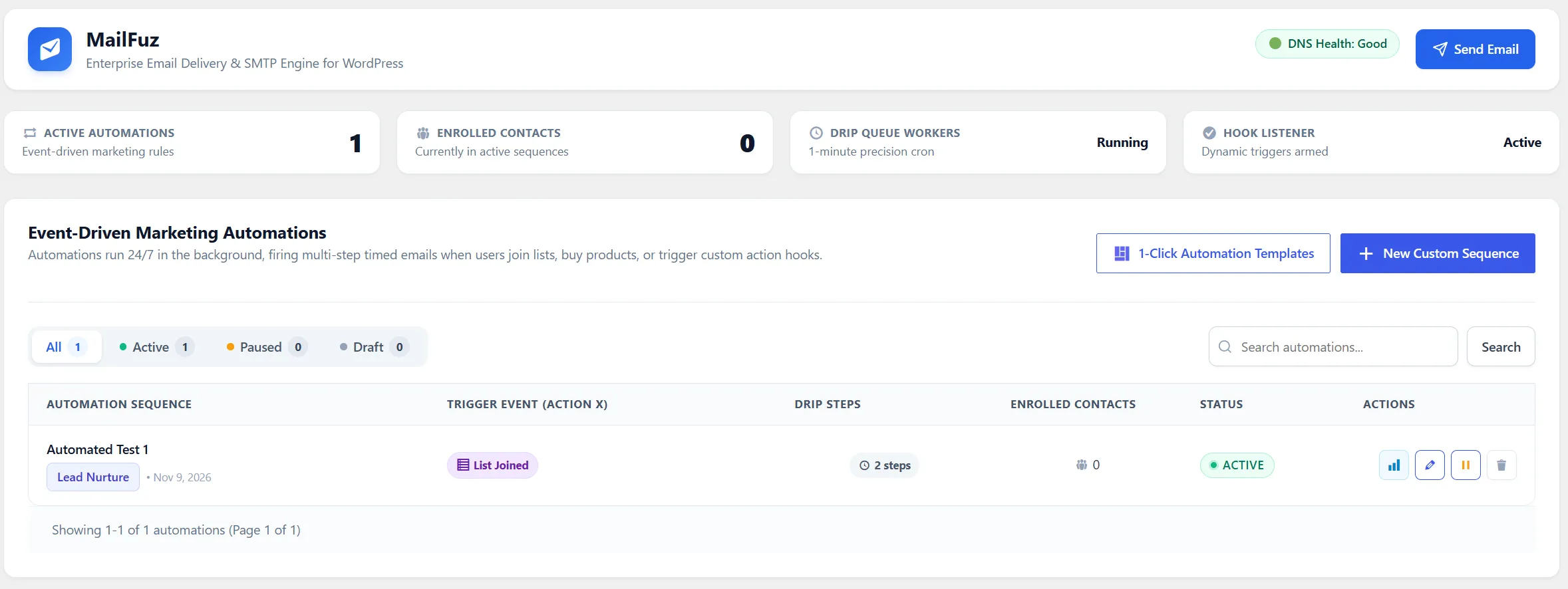
Section titled “Automations Directory”Navigate to WP-Admin → MailFuz → Automations (admin.php?page=mailfuz-automations):
Key Capabilities
Section titled “Key Capabilities”- Active Status Toggles: Pause or arm automation workflows instantly without deleting configurations.
- Trigger Hook Display: Clear visibility into which WordPress action hook triggers the sequence.
- Steps Counter: Indicates how many drip steps and delay intervals are configured.
- 1-Click Presets & Custom Sequence Creation: Rapid workflow building tools.
1-Click Automation Sequence Presets
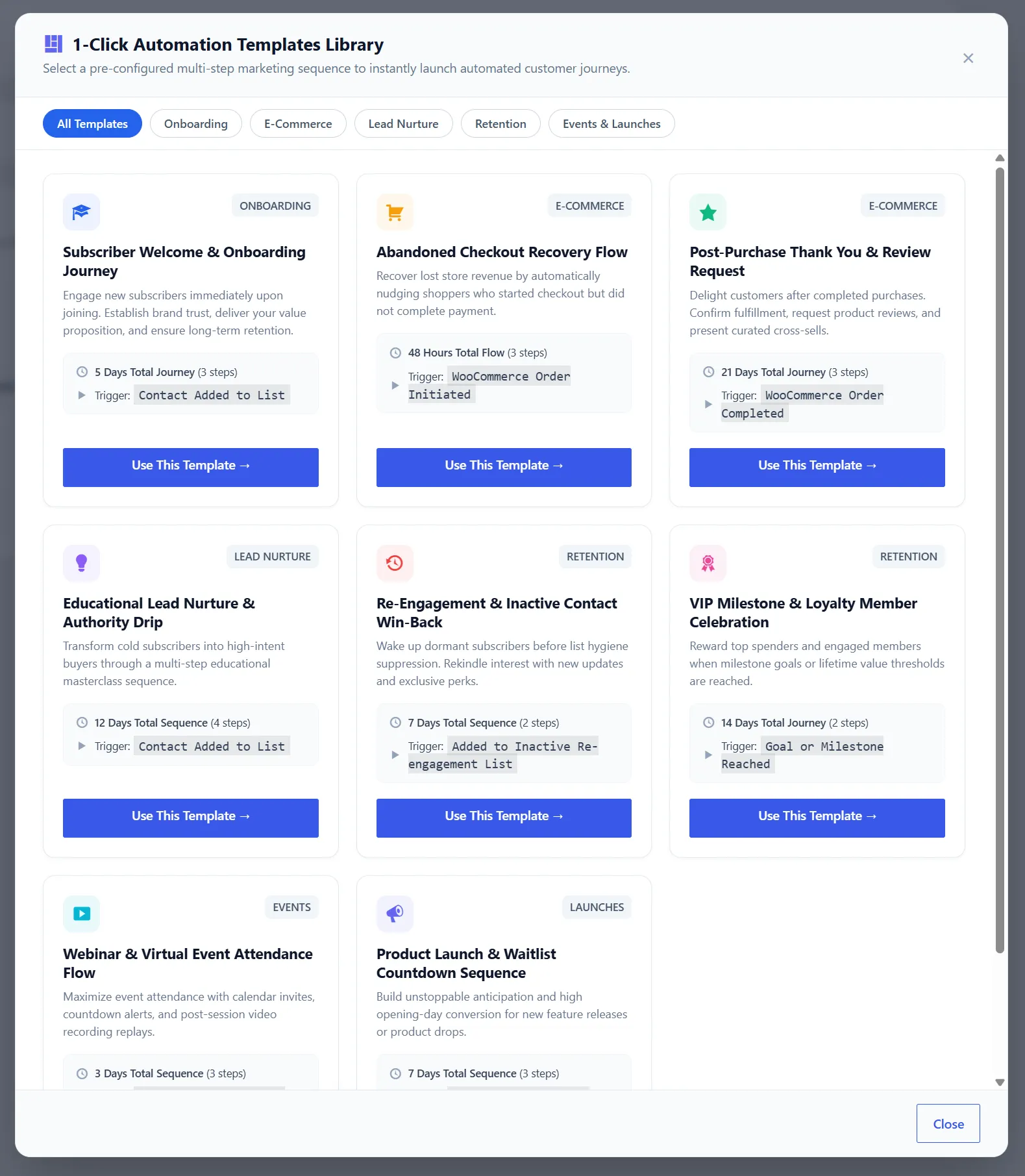
Section titled “1-Click Automation Sequence Presets”To help marketers launch proven lifecycle campaigns in seconds, MailFuz Pro features pre-configured 1-Click Automation Presets:
Click 1-Click Automation Sequences to open the preset library:
Available Ready-to-Use Presets
Section titled “Available Ready-to-Use Presets”| Preset Name | Trigger Hook | Configured Drip Steps | Best For |
|---|---|---|---|
| Welcome Onboarding Sequence | mailfuz_list_joined or user_register |
Step 1: Immediate welcome & brand mission. Step 2: 1 day delay — Core product tour & features. Step 3: 3 days delay — Community invite & resource links. |
New subscriber or customer onboarding. |
| Lead Magnet Nurture Drip | mailfuz_list_joined |
Step 1: Immediate download link delivery. Step 2: 2 days delay — Case study & practical implementation tips. Step 3: 5 days delay — Consultation offer or product demo. |
Content downloads, ebooks, and webinar leads. |
| 3-Day Re-Engagement Series | mailfuz_inactive_subscriber |
Step 1: “We miss you” digest with top content. Step 2: Special reactivation incentive or discount code. Step 3: Final preferences check before pruning. |
Inactive contacts who haven’t opened in 60+ days. |
| Post-Purchase Customer Drip | woocommerce_order_status_completed |
Step 1: Immediate order receipt & care guide. Step 2: 4 days delay — How to get the most out of your purchase. Step 3: 10 days delay — Review request & reward voucher. |
E-commerce customer loyalty & retention. |
| VIP Review & Referral Request | woocommerce_order_status_completed |
Step 1: 7 days delay — Trustpilot or Google review invitation. Step 2: 14 days delay — Referral link & friend discount. |
Generating social proof and customer referrals. |
Clicking Install Preset creates the sequence, links matching responsive email templates, sets delay timers, and arms the workflow immediately.
Creating a Custom Automation Sequence
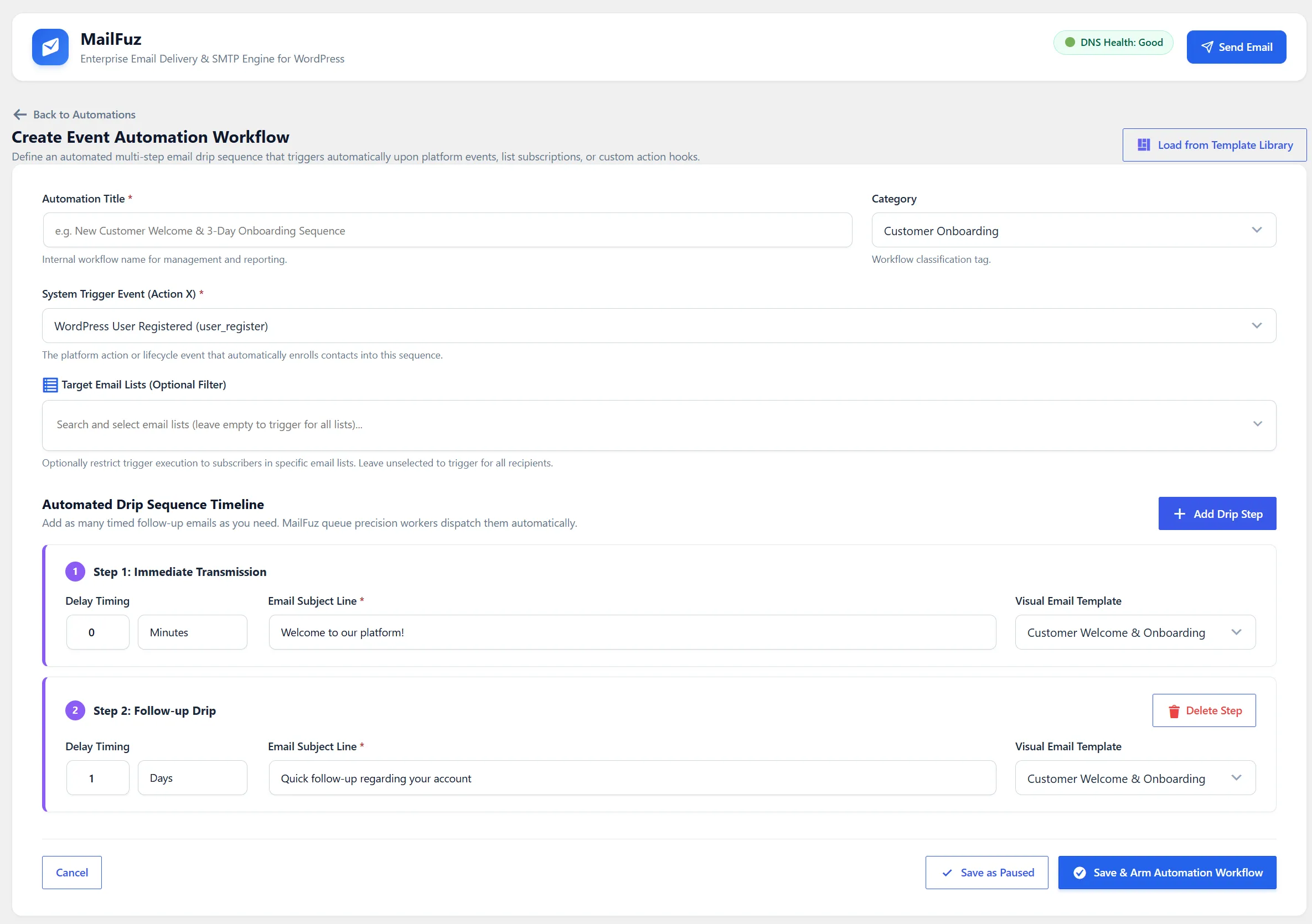
Section titled “Creating a Custom Automation Sequence”To build a custom bespoke sequence, click + New Automation Sequence:
Configuration Steps
Section titled “Configuration Steps”- Sequence Title & Category: Name and categorize your workflow.
- Event Trigger: Select from built-in hooks:
user_register: Fires upon new WordPress or Frontend Dashboard user registration.woocommerce_order_status_completed: Fires when an order is completed.woocommerce_new_order: Fires upon initial checkout.mailfuz_list_joined: Fires when a subscriber joins a specific list.- Custom Action Hook: Bind to any custom WordPress
do_action()hook (e.g.affiliate_signup,crm_deal_won).
- Target Lists: Restrict enrollment to specific subscriber groups.
- Drip Steps & Timing: Add multi-step actions with precise execution delays (minutes, hours, or days).
- Click Save & Arm Automation to start processing events.